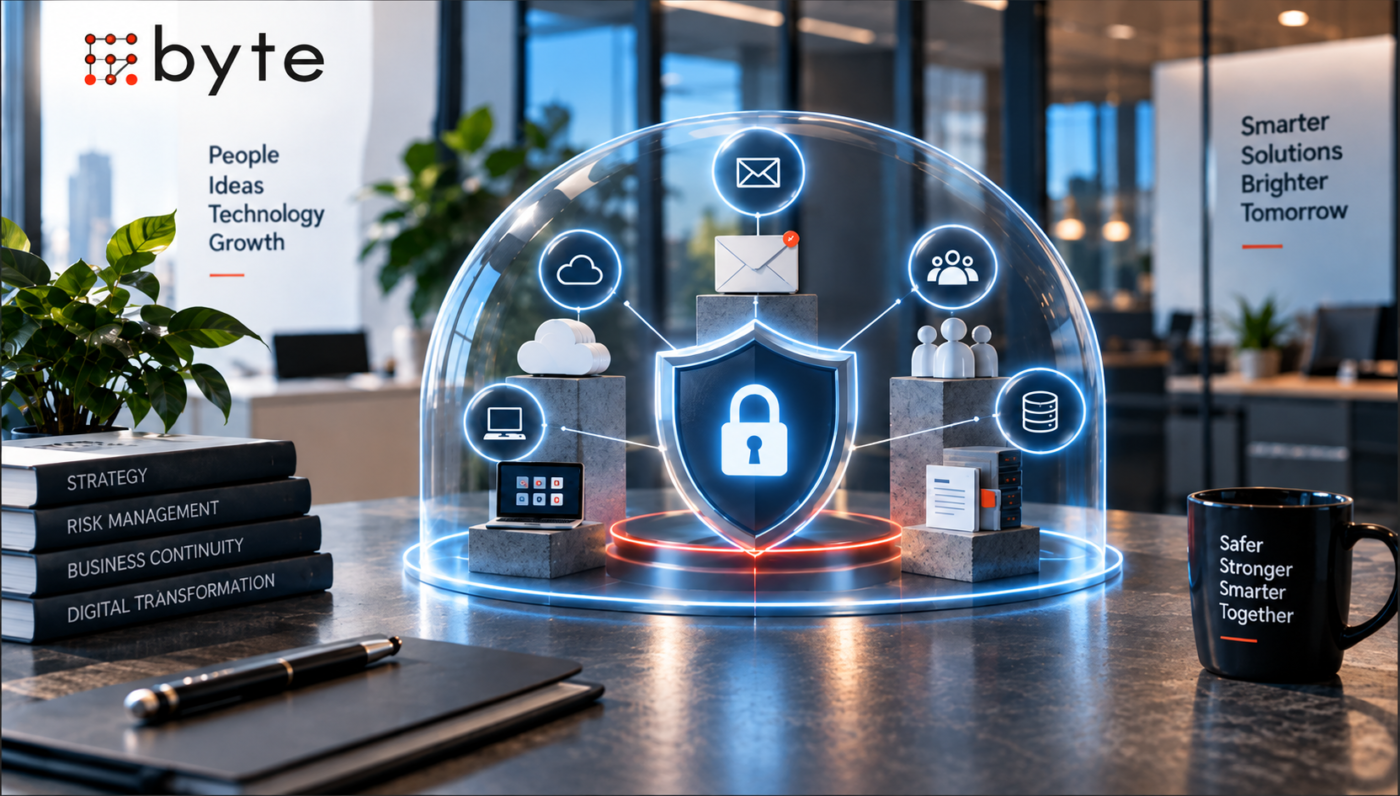
Small businesses rarely have unlimited time or budget for cybersecurity. The challenge is knowing what to protect first.
A business does not necessarily become safer by buying more security tools. If its most important email accounts lack multi-factor authentication, former employees still have access to critical systems, or backups cannot actually be restored, additional tools may not address the biggest risks.
A better approach is to start with business impact.
What systems, information, and access would cause the most damage if they were compromised, lost, or unavailable?
That question can help a small business turn cybersecurity from a long list of technical tasks into a practical priority plan.
Start With What the Business Cannot Afford to Lose
Every business has different priorities.
For one company, customer and financial data may be the most sensitive assets. For another, email, accounting software, intellectual property, or a cloud-based operating system may be critical to daily operations.
Start by identifying:
- Systems required to keep the business operating
- Accounts with access to multiple systems
- Sensitive customer or employee information
- Financial records and payment systems
- Critical business documents
- Software and cloud platforms employees depend on
- Data that would be difficult or expensive to recreate
The objective is not to classify every file and system perfectly on day one.
It is to identify the assets where a security incident would have the greatest business impact.
The NIST’s Cybersecurity Framework 2.0 takes a similar risk-based approach, encouraging organizations to understand their cybersecurity risks and prioritize actions around their specific environment rather than applying a one-size-fits-all checklist.
1. Protect the Accounts That Control the Business
Business email and administrator accounts deserve early attention because they can provide access to much more than a single inbox.
Consider a simple scenario.
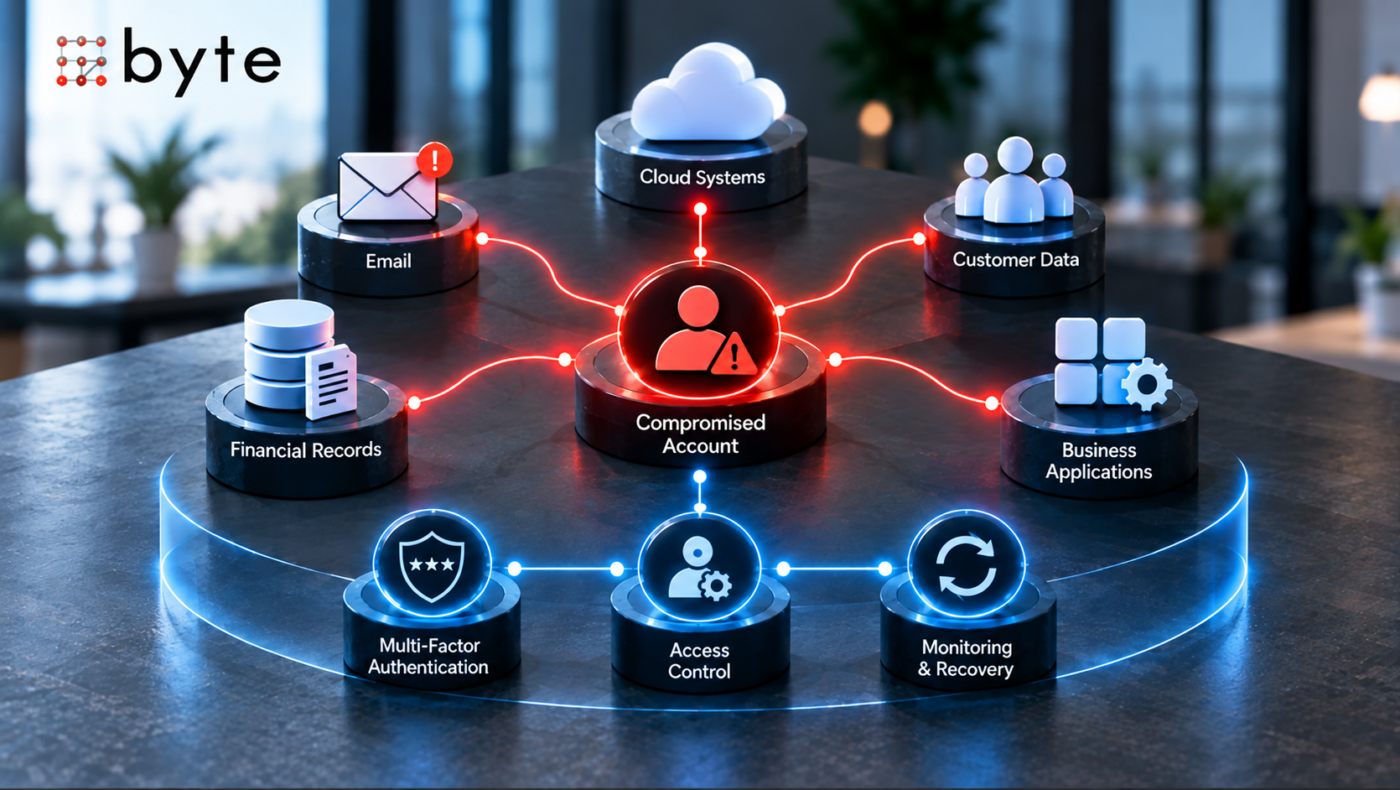
An employee’s password is stolen through a phishing email. The attacker gets into the employee’s business email, finds a conversation about an upcoming payment, and impersonates the employee to request that a vendor change its bank details.
If that same account also has access to cloud storage, CRM information, or other business applications, the incident can grow beyond email.
This is why businesses should prioritize:
- Multi-factor authentication
- Strong, unique passwords
- Separate administrator accounts where appropriate
- Regular access reviews
- Removal of accounts when employees leave
- Appropriate email security controls
- A clear process for reporting suspicious messages
MFA is particularly valuable because a compromised password alone is less likely to be sufficient for complete account access when another authentication factor is required.
Protect the accounts that can open other doors first.
2. Protect Critical Data and Make Sure It Can Be Recovered
Knowing what information matters is only half of the job.
The business also needs to control who can access it and have a plan for recovering it.
Critical information may include:
- Customer records
- Employee information
- Financial data
- Contracts
- Intellectual property
- Operational documents
- Credentials and account information
For businesses using customer-management platforms, access to customer records should also be reviewed regularly. The same principle applies whether the company uses an off-the-shelf platform or a customized system.
For a deeper look at how businesses can think about their customer relationship management (CRM) systems, see Byte Advisory’s Custom CRM vs. Off-the-Shelf CRM: How to Choose the Right System for Your Business. The article is part of Byte’s existing technology content cluster.
Access should be based on business need.
An employee who needs access to a CRM may not need access to payroll records. A contractor working on a website may not need access to the company’s accounting platform.
This principle reduces the potential damage from a compromised account.
Backups Are Part of Protection
A security strategy should also assume that important data could become unavailable.
Ransomware, accidental deletion, hardware failure, compromised accounts, and other incidents can disrupt access to business information.
Regular backups provide another path to recovery, but simply having a backup does not mean the business is prepared.
Ask:
- What is being backed up?
- How often?
- Where are the backups stored?
- Who can access them?
- How long are they retained?
- Can the data actually be restored?
Byte Advisory’s Website Maintenance and Hosting service offering also addresses ongoing maintenance, backups, security updates, and technical support for websites and digital systems.
A backup that has never been tested should not be treated as a proven recovery plan.
3. Secure the Devices and Systems Employees Actually Use
Cybersecurity does not stop at the company’s server or cloud account.
Employees work through laptops, desktops, mobile devices, browsers, cloud applications, collaboration platforms, and other connected systems.
A business should be able to answer:
What devices do we have, who uses them, and what can they access?
Basic controls include:
- Keeping operating systems and applications updated
- Using appropriate device authentication
- Enabling encryption where appropriate
- Protecting business devices with reputable security software
- Locking devices when unattended
- Removing access from lost or retired devices
- Managing devices that connect to sensitive systems
Software updates are particularly important because they can address known security vulnerabilities.
This becomes even more important as businesses connect more applications and automate more workflows. Byte’s existing article How Business Automation Reduces Manual Work and Improves Operations looks at how connected systems and workflows can improve operations while introducing more dependencies that businesses need to manage.
A business does not need to purchase every available security product.
It does need to avoid leaving known, preventable weaknesses unattended.
4. Build Security Into Employee and Access Processes
Employees are part of the cybersecurity environment because they interact with business systems every day.
They receive emails, approve payments, share documents, access customer records, download files, and use cloud applications.
That makes basic security awareness important.
Employees should know how to recognize:
- Suspicious login alerts
- Unexpected attachments
- Urgent payment requests
- Fake password-reset messages
- Unusual requests for sensitive information
- Links that appear different from the expected destination
But training alone is not enough.
The business should also have simple processes for:
Joiners → Access granted based on role
Role changes → Access reviewed
Leavers → Access removed promptly
This becomes increasingly important as a business grows.
A company that started with five employees may have dozens of accounts and permissions a few years later. If access is never reviewed, old permissions can quietly accumulate.
Good access management limits what a compromised account can reach.
5. Do Not Overlook Vendors and Third Parties
Small businesses often rely on external providers for important functions.
These may include:
- IT providers
- Payroll platforms
- Accounting systems
- CRM providers
- Website developers
- Marketing platforms
- Cloud software
- Contractors
The question is not simply whether a vendor is trusted.
The business should understand:
What does this vendor have access to, why do they need it, and how is that access controlled?
Where possible, third-party access should be limited to what is necessary.
Vendor security expectations should also be considered when evaluating providers that handle sensitive information or have access to important systems.
A strong internal security program can still have a significant gap if unnecessary third-party access remains open.
6. Know What Happens When Something Goes Wrong
Even good security controls cannot guarantee that an incident will never happen.
The business also needs to know what it will do after something goes wrong.
A basic response plan should identify:
- Who is responsible for coordinating the response
- Who should be contacted internally
- Which systems may need to be isolated
- How important operations will continue
- When external technical or legal support should be involved
- How customers or partners will be informed when necessary
The purpose is not to predict every possible attack.
It is to prevent the first hour of an incident from becoming a series of improvised decisions.
So, What Should a Small Business Protect First?
When resources are limited, a practical priority order is:
1. Critical Accounts
Email, administrator accounts, financial platforms, and other accounts with broad access.
2. Critical Data
Customer, financial, employee, operational, and intellectual-property information.
3. Essential Systems and Devices
The applications and devices employees depend on to operate the business.
4. Recovery Capability
Reliable backups and a tested process for restoring important information.
5. People and Access
Employee awareness, permissions, access reviews, and offboarding.
6. Third Parties
Vendors and contractors with access to business systems or information.
This is not a universal security architecture.
A healthcare business, financial services company, manufacturer, professional-services firm, and small retailer may face very different risks and regulatory or contractual requirements.
The point is to prioritize based on the consequences of failure.
Five Questions Every Small Business Should Ask
Before purchasing another security tool, start with these questions:
1. What systems would stop the business if they became unavailable?
2. What information would create the greatest damage if exposed?
3. Which accounts have access to the most important systems?
4. Could we recover our critical information after an attack or major failure?
5. Would our employees know what to do if they received a suspicious message?
The answers can reveal where the biggest gaps are.
From there, the business can create a cybersecurity roadmap based on actual risk rather than simply adding more technology.
Cybersecurity Should Scale With the Business
Cybersecurity should evolve as the company evolves.
Adding employees creates more accounts. Adding cloud applications creates more access points. Adding vendors creates new dependencies. Growing customer data increases the potential impact of a breach.
That means cybersecurity should be reviewed when the business changes, not only after something goes wrong.
Businesses also need to think about how technology is maintained after implementation. Updates, backups, security checks, troubleshooting, and ongoing technical support all become part of maintaining a reliable digital environment. Byte Advisory outlines these needs within its Website Maintenance and Hosting offering.
The objective is not to create a perfect security environment overnight.
It is to continuously reduce the risks that matter most.
Final Thoughts
Small businesses do not need to solve every cybersecurity problem at once.
They just need to solve the right problems first.
Protect the accounts that control the business. Secure the information that matters. Keep devices and software updated. Limit access. Maintain recoverable backups. Review third-party access. Train employees. And establish a response process before an incident forces the business to create one.
The most useful cybersecurity question is not:
“What security tools should we buy?”
It is:
“What would hurt our business most if it were compromised, and what should we protect first?”
That shift turns cybersecurity from a collection of technical tasks into a practical business risk-management process.
Byte Advisory helps businesses evaluate their technology environment, identify operational risks, and prioritize technology improvements around business needs.
Need help identifying where your business’s technology risks should be addressed first? Speak with Byte Advisory about building a practical technology roadmap around your business.
[email protected]
byteadvisory.com/contact/