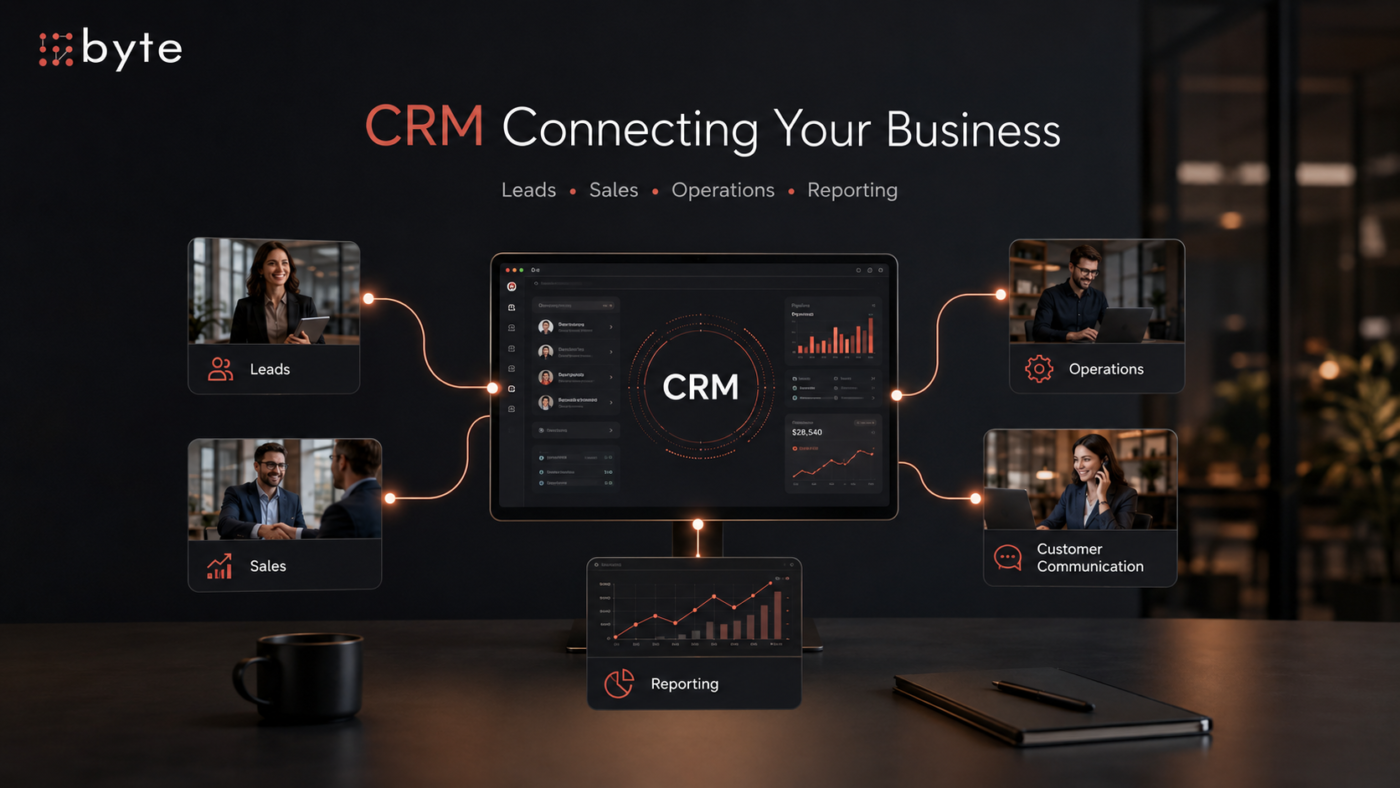
A business can have a CRM and still manage much of its customer process outside of it.
Leads may come through the website, referrals, paid campaigns, email, or outbound sales. The CRM stores the contacts, but salespeople still use spreadsheets. New leads are assigned manually. Follow-ups depend on individual reminders. Management exports data to build reports. Customer information moves between several systems before anyone has a complete picture.
At that point, the custom CRM vs. off-the-shelf CRM decision becomes more important than comparing feature lists.
The right CRM should support the way the business actually sells, communicates, reports, and manages customers. For some companies, established platforms such as HubSpot, Salesforce, or Go High Level can do that well. Others may need to customize an existing system. And in some cases, custom CRM development becomes worth considering.
The goal is not to choose the most advanced technology. It is to choose a system that fits the business without creating unnecessary cost, complexity, or manual work.
Start With the Workflow, Not the CRM
CRM decisions often begin with software demonstrations.
Teams compare dashboards, automation, integrations, AI tools, reporting, mobile apps, and pricing tiers. Those features matter, but they should not be the starting point.
Start with the business process.
How does a lead enter the company? Who receives it? What information needs to be captured? How is an opportunity qualified? Who owns the next action? What happens after a deal closes? Which teams need access to the customer record later?
A CRM works when it makes those processes easier to manage.
If the workflow is relatively standard, an established platform may already support most of what the company needs. If it depends on unusual approvals, custom pricing, multiple business units, or complex handoffs between sales and operations, the fit may be less straightforward.
Choosing a CRM is therefore part of the broader question of whether a business should build or buy software. The issue is not whether custom software offers more flexibility. It is whether that flexibility solves a real operational problem.
When an Off-the-Shelf CRM Works Well
Off-the-shelf CRM platforms solve many common sales and customer-management problems without requiring a company to build and maintain its own software.
An established CRM may already provide:
- Contact and company records
- Sales pipelines
- Lead assignment
- Tasks and reminders
- Email tracking
- Automation
- Reporting
- User permissions
- Marketing integrations
For a growing company with a conventional sales process, that may be enough.
An off-the-shelf CRM usually makes sense when the business can operate within the available workflow, standard integrations connect its main tools, management gets the reports it needs, and speed of implementation matters more than deep customization.
The provider also manages the core platform, updates, and maintenance, allowing the company to focus on clean data, staff training, and consistent use.
A business does not need custom software simply because customization is possible. If an existing CRM solves the problem cleanly, buying can be the better decision.
Signs the CRM No Longer Fits the Business
Problems become visible when employees start building processes around the CRM instead of working through it.
A salesperson enters the same information into two systems. Managers export data because the reports are not useful. Approval requests happen through email or chat. Operations maintains another database because the CRM stops being useful after the sale.
One workaround may be harmless.
Ten connected workarounds can become an operating model.
Common warning signs include:
- Repeated manual data entry
- Important customer information stored in spreadsheets
- Manual approvals
- Reports rebuilt outside the CRM
- Different systems holding different versions of customer data
- Sales and operations working from separate records
- Custom pricing or quotation processes the CRM cannot support
- Too many add-ons filling functionality gaps
- Important customer activity happening outside the system
None of these automatically means the business should build a custom CRM.
But together, they are a reason to ask whether the CRM is still supporting the business or whether the business is spending too much time supporting the CRM.
The Middle Ground: Customize and Integrate
The choice is not always between using an existing CRM and building a new one.
For many businesses, the better option is to customize and integrate the platform already in place.
Established CRM systems often allow companies to create custom fields, pipelines, automations, reports, permissions, and integrations. A company may need different pipelines for separate service lines, automated follow-up, accounting integration, proposal generation, better reporting, or website lead routing.
Those requirements may be achievable without a full rebuild.
Sometimes the CRM itself is not the main problem. The surrounding systems are simply poorly connected.
Customer data may start on the website, move into the CRM, pass to accounting, appear again in project management, and later be copied into a reporting spreadsheet. Improving those connections can remove a significant amount of manual work.
This middle path works when the core platform still fits the business but some workflows around it do not.
It becomes less attractive when every new requirement needs another plugin, spreadsheet, workaround, or integration.
When a Custom CRM Makes Sense
Custom CRM development becomes more relevant when customer management is closely tied to the company’s unique operations.
Consider a business where an opportunity moves through:
Lead capture → qualification → technical review → pricing approval → proposal → contract → scheduling → delivery → billing → account management
A standard CRM may handle the early sales stages well.
But if one system needs to coordinate the full process, the requirement has moved beyond basic contact and pipeline management.
A custom CRM may be worth considering when:
- Core workflows are highly specific to the business.
- Sales needs to connect directly with operations.
- Existing tools create fragmented customer data.
- Manual work exists because systems cannot communicate effectively.
- Reporting depends on data standard CRM structures do not capture.
- User roles and permissions are unusually complex.
- A proprietary workflow creates real business value.
- The CRM is becoming part of a larger internal platform.
Even then, development should not begin with a feature wish list.
If the business reaches that point, it should start by defining what the development team actually needs to build — including the users, workflows, data, integrations, permissions, reporting requirements, and outcomes the system needs to support.
A development team can build almost anything.
The more important question is what is actually worth building.
Compare Total Cost, Not Just the Subscription
Cost comparisons between standard and custom CRM systems are often too simple.
An off-the-shelf platform has an obvious cost: the subscription.
Custom software has an obvious cost too: development.
Neither number tells the full story.
An existing CRM may also involve:
- Per-user licensing
- Higher-tier plans
- Paid add-ons
- Implementation support
- Integration tools
- Administration
- Training
- Data migration
A custom CRM has its own continuing costs, including development, hosting, security, maintenance, support, and future improvements.
There is also the cost of inefficient work.
If employees spend hours each week re-entering information, moving data between systems, or rebuilding reports, that effort belongs in the calculation.
A lower subscription price does not necessarily mean a lower operating cost. At the same time, building a custom platform for processes an established CRM already handles well can create unnecessary expense.
The better question is:
What will this system cost to operate effectively over the next several years?
Use a Three-Path Decision Framework
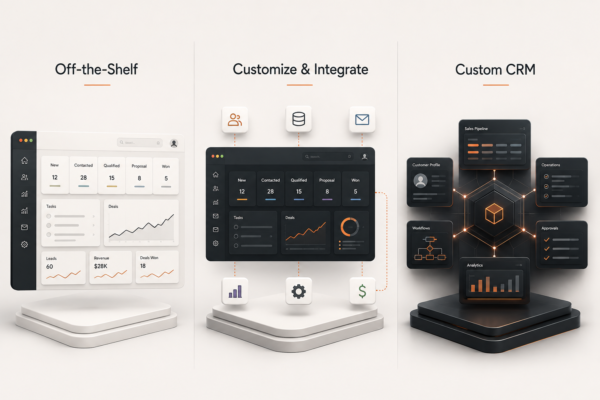
Instead of treating the choice as simply custom versus off-the-shelf, consider three paths.
- Use an Off-the-Shelf CRM
Choose this when workflows are relatively standard, existing features cover most requirements, and getting the system running quickly is a priority.
- Customize and Integrate an Existing CRM
Choose this when the core platform works but the business needs additional workflows, automation, reporting, or integrations.
For many businesses, this is the practical middle ground.
- Build a Custom CRM
Consider this when important workflows cannot be supported cleanly through an existing platform, customer management is deeply connected with operations, or repeated workarounds have made the current technology difficult to manage.
The right answer can change as the business grows.
A company may start with HubSpot or another established CRM, add custom workflows as its sales process matures, and only consider a custom system once its operating requirements are stable enough to justify one.
Your CRM does not need to solve every future problem on day one.
It needs to fit the business you are running now and leave room to grow.
Questions Leadership Should Answer Before Choosing
Before selecting or replacing a CRM, leadership should be able to answer:
- What customer journey does the CRM need to support?
- Which teams will use it?
- Which steps are currently manual?
- Where is information being duplicated?
- Which reports does management actually need?
- Which systems must connect with the CRM?
- Which workflows are genuinely unique?
- Can an existing platform support them through configuration or integration?
- What would a custom CRM need to do that existing systems cannot?
These questions usually reveal more than another software demonstration.
Choosing a CRM Is an Operating Decision
A CRM is not simply a place to store contacts.
It sits between marketing, sales, customer service, operations, reporting, and management. When it works well, information moves more consistently, follow-ups are easier to control, and teams have a clearer view of the customer.
When it fits poorly, employees create their own processes around it.
The custom CRM vs. off-the-shelf CRM decision should therefore begin with how the business operates.
Use an established platform when it already solves the problem well.
Customize and integrate when the foundation works but the company needs more flexibility.
Consider custom CRM development when important workflows cannot be supported without excessive manual work, disconnected systems, or difficult workarounds.
The goal is not to own more software. It is to give the business a system that people can actually work from.
Where existing platforms cannot support the workflow cleanly, Byte Advisory can help determine whether configuration, integration, or custom software solutions are the better fit.
Choosing a CRM? Speak with Byte Advisory about selecting, customizing, or building a system that fits how your business works.
byteadvisory.com/contact/