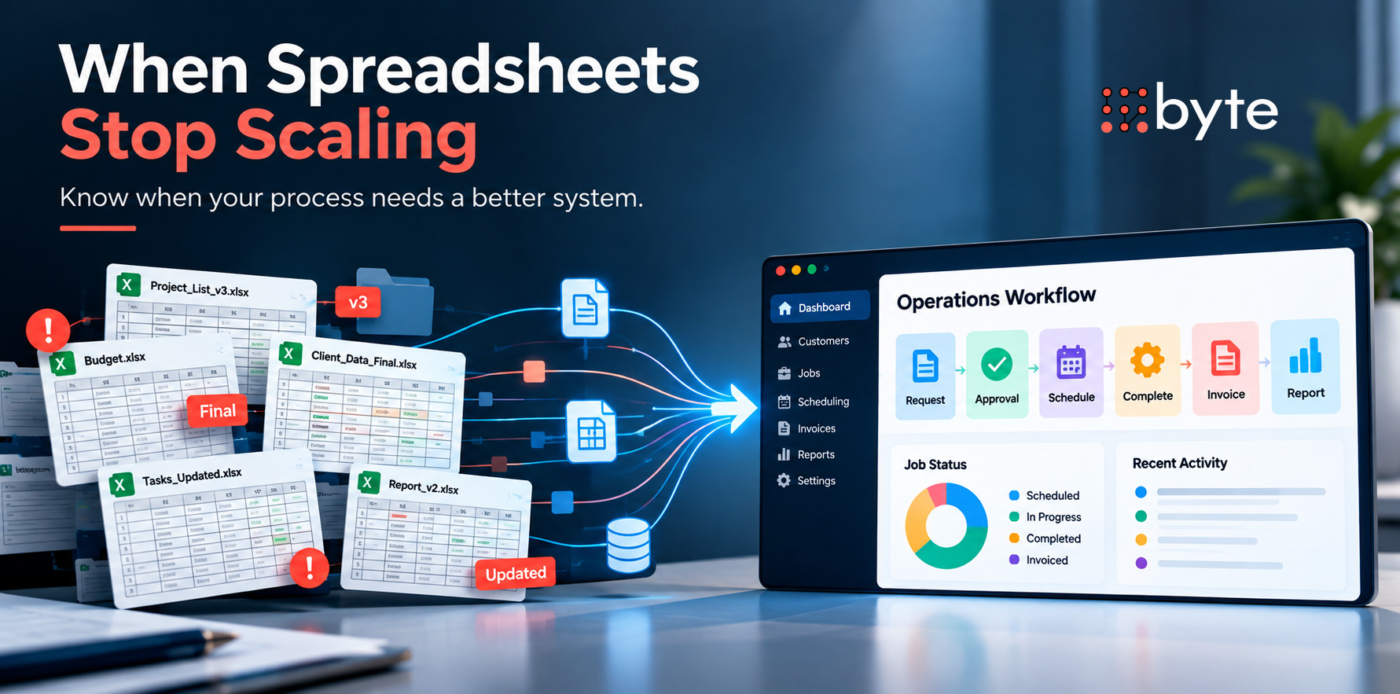
Spreadsheets can support a business for a surprisingly long time.
They are flexible, familiar, inexpensive, and quick to change. A small team can use them to track customers, projects, inventory, approvals, schedules, budgets, or operational activity without implementing another system.
The problem usually appears gradually.
More employees begin updating the same information. Different departments create their own versions. Data has to be copied between files and other systems. Reporting takes longer because someone has to reconcile information before management can trust it.
At that point, the question becomes whether the business should replace spreadsheets with custom software, adopt an existing platform, improve the current process, or use some combination of the three.
The answer should depend on the operational problem, not simply on how many spreadsheets the company has.
Spreadsheets Are Not Automatically the Problem
Using spreadsheets does not mean a business has outdated technology.
For a straightforward process with a limited number of users, manageable data, and few dependencies, a spreadsheet may still be the most practical solution. Replacing it with software could add cost and complexity without creating enough additional value.
Problems begin to arise when the spreadsheet is no longer just storing information. It starts carrying out an operational process that has become too complex to manage reliably.
Consider a hypothetical commercial maintenance company.
When the company was smaller, one spreadsheet tracked active jobs, customer information, assigned technicians, scheduled dates, and completion status. The operations manager understood the file and could resolve most issues personally.
As the company grows, sales needs customer information from the same process. Operations need scheduling details. Finance needs completed job information for billing. Managers want weekly performance reports.
Instead of one simple file, the company now has several connected workarounds.
Sales updates one sheet. Operations maintain another. Job changes arrive through email or messages. Finance waits for confirmation before invoicing. Management combines information from several places to understand what happened during the week.
The spreadsheet is no longer just a planning tool. It has become the operating system for a process it was never meant to control.
Signs the Current Process May Be Reaching Its Limit
The clearest warning signs usually appear in daily work rather than in the spreadsheet itself.
A business should pay attention when employees repeatedly enter the same information in multiple places, teams maintain separate versions of the same data, people regularly ask which file is current, or important steps depend on someone remembering to update a row, send an email, or notify another employee.
Other signs include reporting that requires significant manual preparation, managers who cannot easily see the current status of customers or projects, complicated access needs, errors that create problems elsewhere, and spreadsheets that now depend on layers of formulas, tabs, macros, and workarounds.
One issue alone may not justify replacing the system. Several of them happening repeatedly can indicate that the underlying workflow deserves a closer look.
Look at the Workflow Before Looking at Software
Before deciding to build anything, map what actually happens.
Return to the maintenance company.
A simplified job process might be:
Customer request → Quote approved → Job scheduled → Technician assigned → Work completed → Finance notified → Invoice issued → Management reporting updated
Now identify where information moves manually.
Perhaps sales enter customer details into a spreadsheet, operations copy the information into its scheduling file, the technician sends completion information by email, and finance updates another sheet before creating the invoice.
The business now has a clearer problem to evaluate.
It may not need a completely new software platform. Perhaps two existing systems can be integrated. Maybe one process needs automation. Maybe an off-the-shelf field-service platform already supports most of the workflow.
Byte’s existing article on How Business Automation Reduces Manual Work and Improves Operations makes a related point: technology works better when the workflow is understood before automation is introduced. Automating an unclear process can simply make existing problems harder to manage.
The same principle applies to custom software.
Do not start by asking what software to build. Start by identifying what the current process is failing to support.
Decide Whether the Problem Requires Custom Software
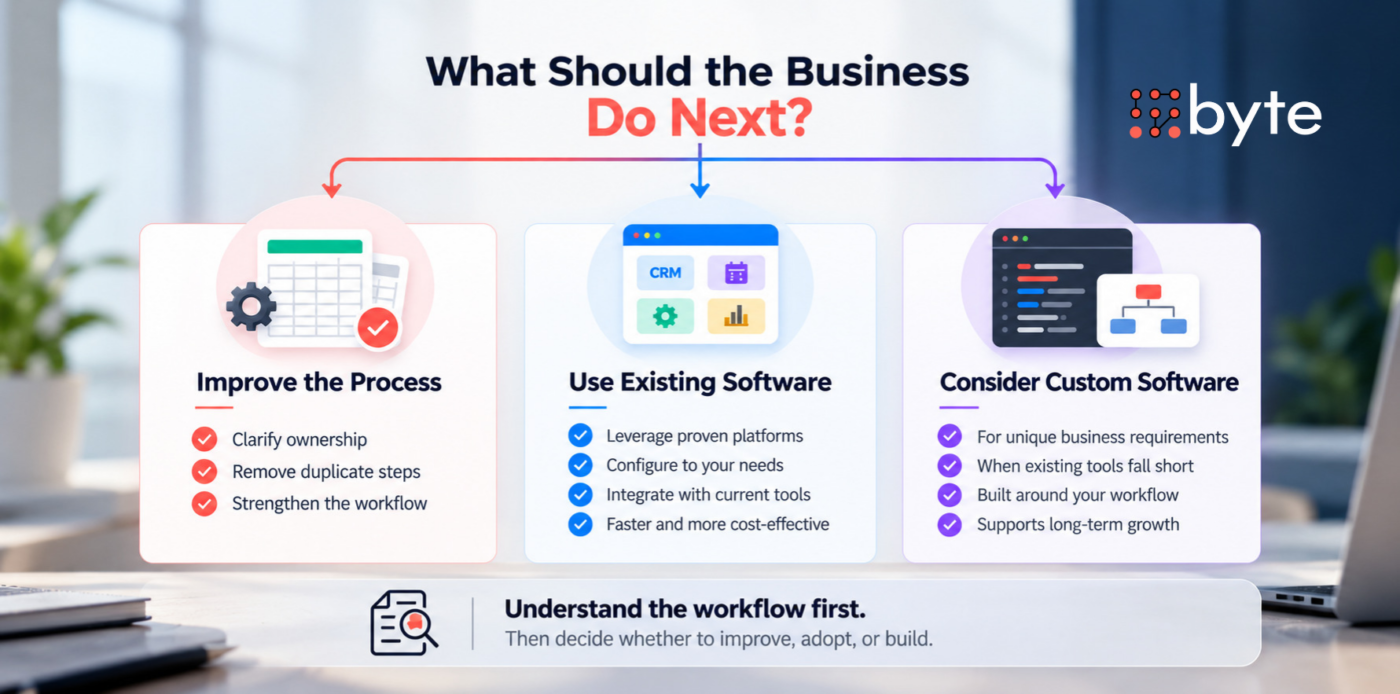
Once the workflow is visible, the business can evaluate its options more realistically.
Improve the Existing Spreadsheet and Process
Sometimes the simplest answer is still the right one.
If the process is relatively small and the main problems come from inconsistent ownership, poor file structure, unclear responsibilities, or unnecessary duplication, rebuilding the spreadsheet and defining better procedures may be enough.
There is little value in developing software to solve a problem that could be fixed through clearer process management.
Adopt or Configure an Existing Platform
Many business requirements are common.
CRM platforms, project-management systems, field-service tools, accounting software, inventory platforms, scheduling systems, and workflow tools already solve established business problems.
If an existing product supports most of the required process, configuring or integrating it may be faster and less expensive than developing a new system.
Byte’s article on Build vs. Buy: How Startups Should Make Smarter Product Decisions explains this decision in more detail. The key question is whether the business needs a better system or a system designed specifically around how it operates.
Build Custom Software
Custom software becomes more relevant when the business has a stable, important workflow that available platforms cannot support without significant workarounds.
For the maintenance company, that might happen if scheduling depends on specialized job rules, customer contracts have unique approval requirements, technicians need a specific field workflow, billing depends on operational data, and management needs reporting that connects all of those activities.
Instead of maintaining separate files and manual handoffs, a custom system could connect the workflow around a shared source of information.
The reason to build is not that spreadsheets are old.
The reason to build is that the operating process has become important and specific enough to justify a system designed around it.
What Should a Business Evaluate Before Building?
Replacing spreadsheets with custom software is a larger decision than replacing one file with an application.
The business first needs to understand whether the process is stable enough to define. If employees perform the same activity differently every week, building software around the current workflow may lock unnecessary complexity into the new system. The process may need to be simplified before development begins.
Data also deserves attention. Which information needs to be moved into the new system? Is it complete and reliable? Are there duplicate customer records, inconsistent categories, missing fields, or historical information that should not be migrated?
Then there are integrations.
The proposed software may need to exchange information with accounting software, a CRM, payment systems, email, scheduling tools, inventory platforms, or other applications. Those dependencies can significantly affect scope.
User roles matter as well. Sales may need one view while operations need another. Managers may require approval and reporting. Finance may need access to billing information without needing control over the entire operational system.
Reporting should be defined before development rather than added as an afterthought. Management should know which decisions the system needs to support and what information needs to be visible.
Finally, the business should consider what happens after launch.
Custom software needs maintenance, updates, documentation, user support, security management, and future development. The initial build is only part of the decision. Byte Advisory’s Custom Software Solutions are designed around discovery, development, integrations, deployment, maintenance, and ongoing support rather than treating development as a one-time coding exercise.
Do Not Build Every Workaround into the New System
A custom system should not become a digital version of every workaround the business has created.
Before development begins, the company should remove unnecessary steps, simplify approvals where possible, and decide which workflows truly need to structure.
Otherwise, the new system may only preserve old inefficiencies in a more expensive format.
This is why discovery matters. The business should decide what the future process should be, not simply recreate every manual step from the current one.
Compare the Cost of Change with the Cost of Staying the Same
Custom software requires investment, but staying with an inefficient process also has a cost.
The difficult part is that the second cost is often less visible.
A company may spend hours every week reconciling spreadsheets, preparing reports, correcting duplicate information, checking statuses, moving data between systems, and following up on missed handoffs.
Those activities may not appear as software expenses, but they consume employee capacity.
The comparison should therefore go beyond:
“How much will the software cost?”
Management should also understand what the current process costs to operate, what problems it creates, and what measurable improvement a new system is expected to produce.
If the proposed software saves very little time and does not improve an important process, the investment may be difficult to justify.
If the current system is creating recurring operational problems, unreliable information, slow handoffs, or administrative work that increases with every new customer, the calculation can look very different.
Do Not Rebuild Every Spreadsheet
Even when custom software makes sense, the objective should not be to move every spreadsheet into the new platform.
Some spreadsheets may still be useful for analysis, temporary planning, calculations, or one-off work.
The better question is which information and workflows need a stronger structure.
For the maintenance company, the new system might manage customers, jobs, scheduling, completion status, approvals, and billing handoffs while finance continues using accounting software and management still uses spreadsheets for occasional analysis.
That is a more focused technology decision than trying to create one system that does everything.
Replace the Process When the Business Case Supports It
Spreadsheets often begin as an efficient solution.
The challenge comes when the business grows around them.
More users, more data, more handoffs, more reporting requirements, and more exceptions can turn a simple file into an operational dependency that requires constant manual attention.
That does not automatically mean the business should build custom software.
First, understand the workflow. Identify where the problems actually occur. Determine whether the process can be improved, automated, integrated, or supported by an existing platform. Then evaluate whether the remaining requirements are specific and valuable enough to justify custom development.
The right time to replace spreadsheets with custom software is not when spreadsheets look outdated. It is when the business can clearly explain what the new system needs to improve and why that improvement is worth the investment.
Byte Advisory helps businesses evaluate operational workflows, system requirements, integrations, and custom software opportunities before moving into development. Its technology services include discovery, custom development, system integration, deployment, and ongoing support.
Planning to replace a spreadsheet-heavy process? Speak with Byte Advisory about whether your next step should be improvement of processes, system integration, an existing platform, or custom software.
byteadvisory.com/contact/